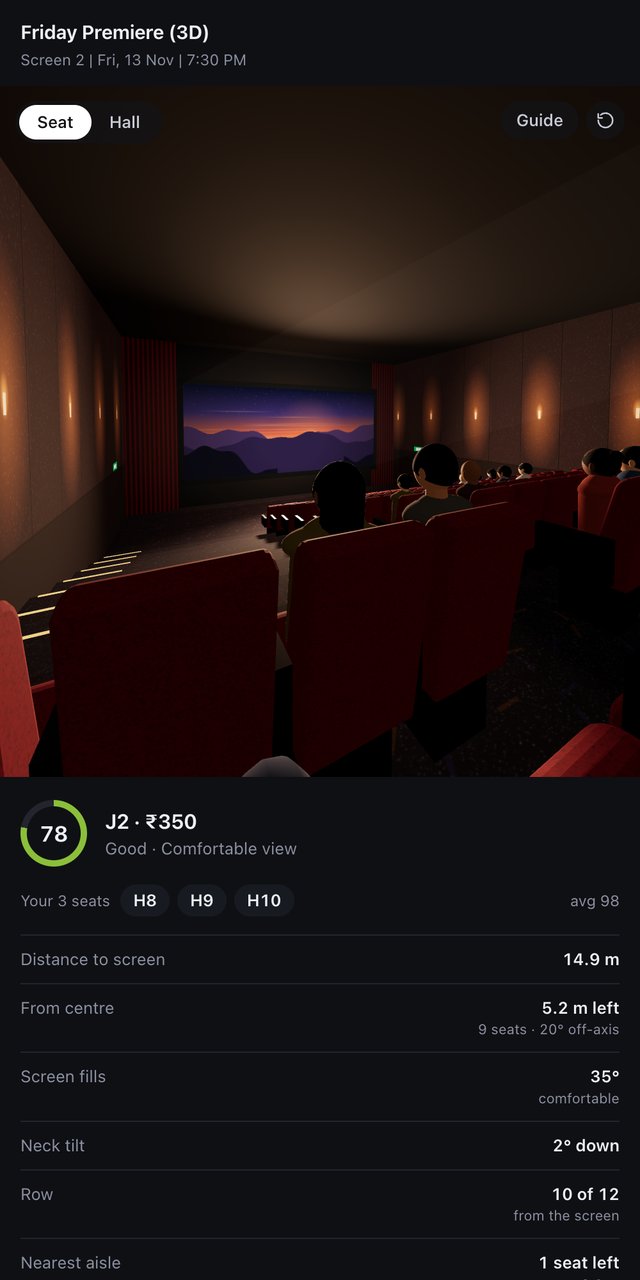
View from your seat
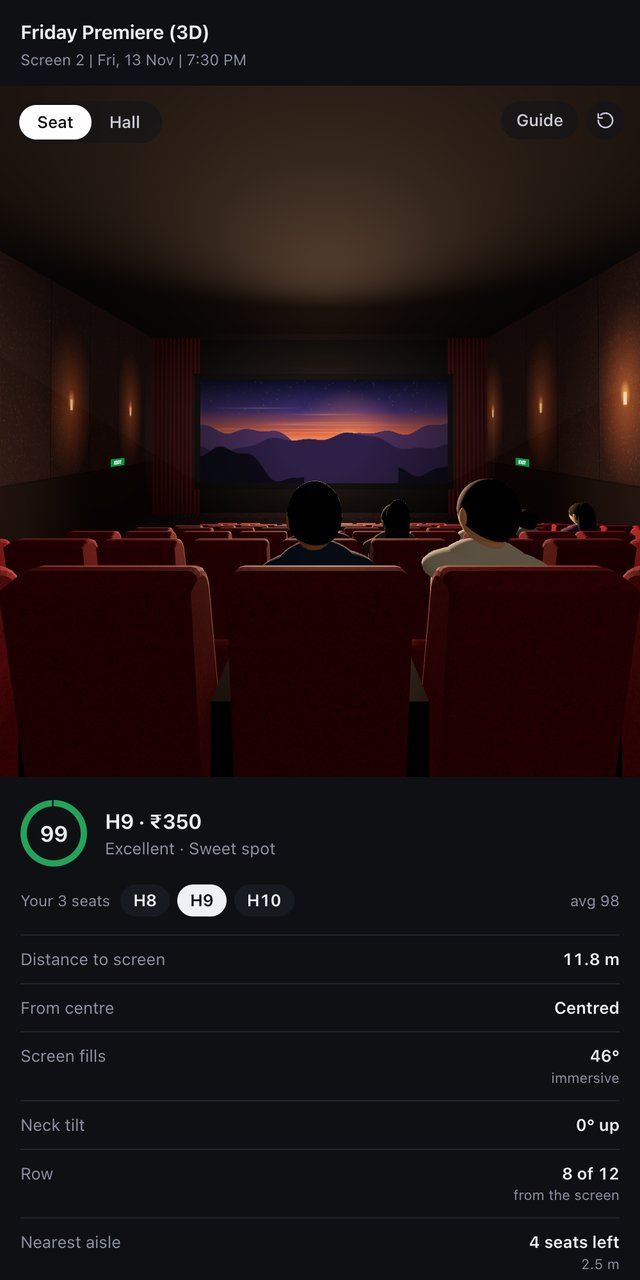
First-person 3D from the exact seat: how centred you are, how big the screen looks and whose head is in the way.
SeatHall
 3D Seat View
Get it free
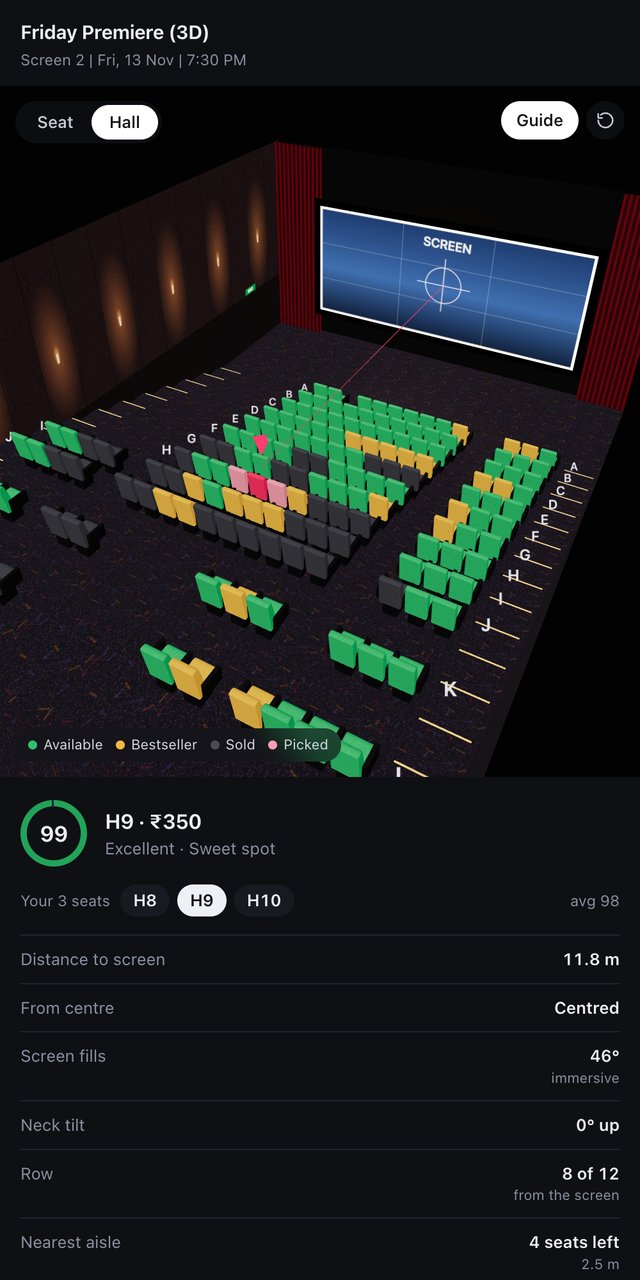
A free Chrome extension that turns the flat seat map on BookMyShow and District into a 3D cinema hall. Click a seat and you are sitting in it.
Friday Premiere (3D)Screen 2 · Fri, 13 Nov
3 TicketsClick any seat
About
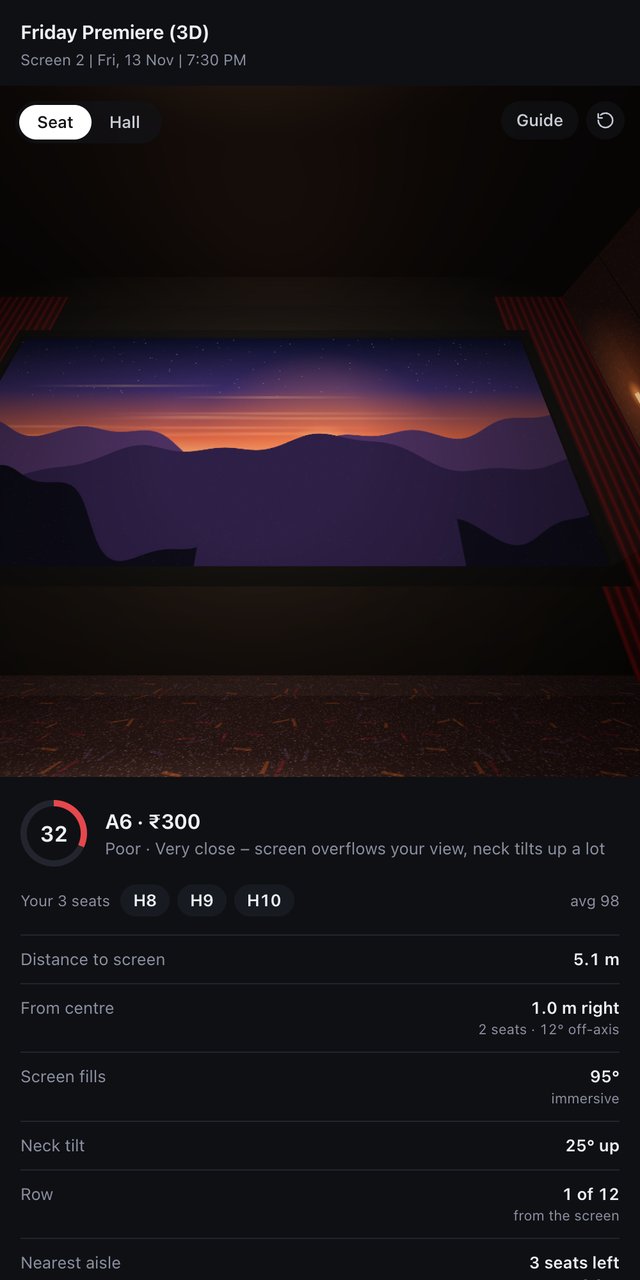
A seat map shows where a seat is, not what you see from it. 3D Seat View reads the layout already on the page and builds the hall around it, with a score, the distance to the screen, the viewing angle and the neck tilt for every seat. Front rows, far corners and seats behind a tall crowd show up at once.
Watch
Features
First-person 3D from the exact seat: how centred you are, how big the screen looks and whose head is in the way.
One number out of 100, from screen fill, centring and neck tilt. A bad seat is obvious at a glance.
Say how many you need. The best free run of side-by-side seats is selected on the booking page for you.
Metres to the screen, offset from the centre line, viewing angle, row position and nearest aisle.
Orbit the theatre with seats coloured by status: available, bestseller, sold and your picks.
No account, tracking or ads. The seat map is read and drawn inside your own browser and goes nowhere.
How it works
Any movie on BookMyShow or District, in Chrome on a computer.
Click the 3D Seat View icon. The hall appears beside the page.
See the view, the score and the numbers. Then book as usual.
Open any movie seat layout on in.bookmyshow.com or www.district.in in Chrome on a computer, click the 3D Seat View icon, then click a seat. Distances and angles are estimates built from the seat map.
Install now, freeChrome Web Store listing coming soon. Until then, download it and load it in Chrome in two minutes. See the guide.
Coming soon
Most tickets get booked on a phone. A mobile version is in the works. Leave your email and you will get one message when it is ready, nothing else.
FAQ
Usually centre seats about two thirds of the way back. The score shows it for the exact hall you are booking, and "Find the best seat" picks the best free ones.
They are estimates. Booking sites do not publish hall measurements, so the hall is built from the seat map and typical multiplex dimensions. You can adjust seat width, row spacing and screen distance if you know the hall.
No. It only selects seats on the page, and only when you press "Find the best seat". You finish the booking yourself.
Movie seat-layout pages on BookMyShow and District, in Chrome on a desktop or laptop. Phones are not supported yet, but a mobile version is coming: join the waitlist.
Until the Chrome Web Store listing is live, download the ZIP and load it in Chrome yourself. The install guide walks through it in six short steps.
The extension collects none. This website uses basic visitor analytics. Details in the privacy policy.